






Every small business eventually runs into the same problem: customer information scattered across spreadsheets, email threads, sticky notes, and someone’s memory. A lead follows up weeks late because nobody noted the conversation. A loyal customer gets a generic email blast meant for new prospects. Two team members reach out to the same client on the same day without realizing it. None of these mistakes are dramatic on their own, but together they quietly cost revenue, damage trust, and waste time that a small team can’t afford to lose.
This is the exact problem customer relationship management (CRM) software was built to solve. What used to be an enterprise-only tool with a steep learning curve and an even steeper price tag has become genuinely accessible to small businesses, with options designed specifically for teams of five, ten, or twenty people rather than five hundred.
This guide covers what CRM software actually does, why it matters for small businesses specifically, the features worth prioritizing, how pricing typically works, common implementation mistakes, and a practical framework for choosing the right system for your business.
Table of Contents
What Is CRM Software?
CRM software is a centralized system for storing, organizing, and acting on information about leads, prospects, and customers. At its core, a CRM replaces the scattered mix of spreadsheets, inboxes, and notebooks that many small businesses rely on with a single, searchable record of every interaction a business has with a person or company.
A typical CRM Software record includes contact details, communication history, deal or order history, notes from past conversations, and any tasks or follow-ups associated with that relationship. Beyond simple record-keeping, modern CRM platforms also automate repetitive tasks, track sales pipelines, support marketing campaigns, and provide reporting on what’s actually driving revenue.
CRM as a Philosophy, Not Just a Tool
It’s worth noting that “CRM” originally described a business philosophy — the idea that systematically managing customer relationships, rather than treating each interaction as a one-off, leads to better retention and more revenue. The software is simply the tool that makes that philosophy practical at scale. A business can have CRM software installed and still fail at CRM as a practice if the team doesn’t actually use it to manage relationships consistently. Keeping this distinction in mind matters throughout the rest of this guide: the software is the enabler, not the strategy itself.
Why Small Businesses Need CRM Software
It’s a fair question to ask whether a business with a handful of employees and a few dozen active clients really needs dedicated software for something a spreadsheet can technically do. In practice, the case for CRM software becomes clear once a business hits certain growth points.
Customer Information Becomes Too Scattered to Manage Manually
As a business grows past a small handful of regular clients, customer information naturally spreads across email inboxes, text messages, social media DMs, paper notes, and the memories of individual employees. A CRM consolidates all of this into one place that the whole team can access, rather than leaving critical context locked inside one person’s inbox.
Leads Fall Through the Cracks Without a System
Without a structured follow-up process, leads are easy to forget, especially during busy periods. A CRM tracks where every lead is in the sales process and can automatically remind a salesperson — or the business owner doing double duty as the sales team — to follow up at the right time.
Growth Makes Manual Tracking Unsustainable
A spreadsheet might work fine with twenty leads. It becomes unmanageable with two hundred. CRM software is built to scale with a growing customer base without requiring a proportional increase in administrative effort.
Customer Experience Becomes Inconsistent Without Shared Context
When a customer has to repeat their issue or order history every time they contact a different team member, it signals a disorganized business. A CRM gives every team member instant access to a customer’s full history, enabling more personalized and efficient service.
Decision-Making Improves With Real Data
Without a CRM, small business owners often make decisions about sales priorities, marketing spend, or staffing based on gut feeling or anecdote. A CRM Software provides actual data on which leads convert, which marketing channels produce the best customers, and where deals tend to stall — turning guesswork into informed decision-making.
Competitive Pressure
As more small businesses adopt CRM tools, customers increasingly expect prompt, personalized follow-up and consistent service. Businesses without a system to support that level of service risk losing customers to competitors who can deliver it more reliably.
Key Features to Look for in a Small Business CRM
Not every CRM feature matters equally for every small business. Here are the categories worth evaluating carefully when comparing options.
Contact and Lead Management
This is the foundation of any CRM: a centralized database of contacts with the ability to log notes, track communication history, and tag or segment contacts by relevant criteria (industry, lead source, deal stage, and so on). Look for a system that makes it fast to add and update contact information, since a CRM that’s tedious to update tends to fall out of use.
Sales Pipeline Visualization
A visual pipeline — typically a kanban-style board showing deals at each stage from initial contact to closed sale — helps small sales teams see at a glance where every deal stands and what needs attention. This is one of the most commonly used features in small business CRMs because it turns an abstract sales process into something concrete and trackable.
Task and Follow-Up Automation
Automated reminders, follow-up sequences, and task assignment ensure that leads and customers don’t get forgotten during busy periods. For a small team without a dedicated sales operations person, this kind of automation effectively replaces administrative work that would otherwise fall on whoever has time, which in practice often means it doesn’t get done at all.
Email Integration and Tracking
Most small business communication still happens over email. A CRM that integrates directly with email — logging sent and received messages automatically, and ideally tracking opens and clicks — saves significant manual data entry and ensures the contact record stays accurate without extra effort.
Reporting and Dashboards
Even basic reporting — deals closed per month, average deal size, conversion rate by lead source — gives a small business owner visibility into what’s actually working without needing to manually compile the numbers. Look for dashboards that are easy to customize without requiring technical expertise.
Mobile Access
Small business owners and sales staff are rarely chained to a desk. Mobile apps that allow logging a call, checking a contact’s history, or updating a deal stage from a phone are valuable for teams that spend time meeting clients, visiting job sites, or working remotely.
Integration With Existing Tools
A CRM that integrates with the tools a business already uses — email platforms, accounting software, e-commerce platforms, calendar apps, and marketing tools — avoids creating yet another disconnected system. Before choosing a CRM, it’s worth listing the core tools a business relies on and checking integration compatibility.
Customization Without Complexity
Small businesses often have specific workflows that don’t match a generic sales process out of the box. The ability to customize fields, pipeline stages, and automation rules — without needing a developer or a steep technical learning curve — is a meaningful differentiator between CRMs built for enterprises and those designed with small teams in mind.
Customer Support and Onboarding Resources
Small businesses rarely have dedicated IT staff to manage software rollouts. CRMs that offer responsive support, clear documentation, and structured onboarding tend to see much higher adoption rates among small teams than those that assume a more technical user base.
Marketing Features
Many modern CRM Software bundle basic marketing functionality — email campaigns, simple automation sequences, landing page builders — directly into the platform, which can reduce the need for a separate marketing tool for businesses with straightforward needs.
Types of CRM Software
Not all CRMs are built around the same priorities. Understanding the broad categories helps narrow down which type fits a particular business.
Operational CRMs
Operational CRMs focus on streamlining day-to-day sales, marketing, and service processes — pipeline management, task automation, and campaign execution. This is the most common type for small businesses, since it directly supports the daily work of converting leads and managing customer relationships.
Analytical CRMs
Analytical CRMs emphasize data analysis — customer behavior patterns, purchase history trends, and predictive insights about which customers are likely to churn or which leads are most likely to convert. These are more common in businesses with larger customer datasets where pattern analysis adds significant value.
Collaborative CRMs
Collaborative CRMs focus on sharing customer information across departments — sales, marketing, and support — so every team has consistent context about a customer regardless of which department last interacted with them. This matters more as a business grows multiple specialized teams rather than having a few people handling everything.
Industry-Specific CRMs
Many CRMs are built specifically for industries like real estate, healthcare, legal services, or home services, with built-in workflows, terminology, and compliance features tailored to that field. For small businesses in a specialized industry, an industry-specific CRM can save significant setup time compared to customizing a generic platform from scratch.
All-in-One Business Platforms
Some platforms bundle CRM functionality together with invoicing, project management, or e-commerce tools into a single system. These can simplify operations for very small businesses that want to minimize the number of separate tools they manage, though they sometimes offer less depth in any single area compared to a dedicated CRM.
How CRM Software Improves Sales, Marketing, and Customer Service
A well-implemented CRM doesn’t just organize data — it actively improves outcomes across the three functions that touch customers most directly.
Sales
CRMs help small sales teams prioritize the right leads, follow up consistently, and close deals faster by removing the administrative friction around tracking who needs to be contacted and when. Visibility into the pipeline also helps identify bottlenecks — for example, if deals consistently stall at the proposal stage, that’s a clear signal something in the sales process needs attention.
Marketing
Integrated marketing features allow small businesses to segment their contact list and send targeted campaigns based on actual customer behavior and history, rather than blasting the same message to everyone. This kind of targeting tends to produce better engagement than generic, one-size-fits-all communication.
Customer Service
When support staff have instant access to a customer’s full history — past purchases, previous support tickets, and prior conversations — they can resolve issues faster and avoid asking customers to repeat information they’ve already provided. This consistency is one of the most noticeable improvements customers experience after a business adopts a CRM.
Cross-Functional Alignment
Perhaps the most underrated benefit is alignment between teams. When sales, marketing, and support all reference the same customer record, miscommunication drops significantly — a salesperson won’t promise something a fulfillment team doesn’t know about, and a support agent will be aware of an active sales conversation before responding to a related inquiry.
CRM Pricing Models for Small Businesses
CRM pricing varies widely, and understanding the common structures helps avoid surprises later.
Per-User, Per-Month Pricing
The most common pricing model charges a monthly fee per user, often with tiered plans offering progressively more features. This model scales naturally with team size but means costs grow as a business adds staff, which is worth factoring into long-term budget planning.
Free Tiers and Freemium Plans
Many CRM providers offer a free tier with basic functionality and a limited number of users or contacts, intended to let very small businesses or solopreneurs get started before committing to a paid plan. These can be a reasonable starting point, though it’s worth understanding what triggers the need to upgrade before relying heavily on a free tier.
Flat-Rate Pricing
Some platforms charge a flat monthly or annual fee regardless of the number of users, which can be more predictable and cost-effective for growing teams, though it sometimes comes with a higher entry price than per-user plans.
Add-On and Module Pricing
Certain CRMs price core functionality affordably but charge extra for add-ons like advanced automation, additional storage, or premium integrations. It’s worth reviewing what’s included in a base plan versus what requires an upgrade before comparing prices across providers.
Implementation and Setup Costs
Beyond the subscription fee, some CRMs — particularly those with more complex customization options — may involve setup costs, data migration assistance, or paid onboarding support. Small businesses on a tight budget should factor in these one-time costs, not just the recurring subscription price.
Total Cost of Ownership
When comparing CRM options, it’s useful to think beyond the sticker price to the total cost of ownership: subscription fees, any necessary add-ons, time spent on setup and training, and the cost of integrating with existing tools. A cheaper CRM that takes weeks to configure properly may end up costing more in lost productivity than a slightly pricier option that’s easier to deploy.
How to Choose the Right CRM for Your Small Business
With dozens of CRM platforms on the market, the decision can feel overwhelming. The following framework helps narrow the field systematically.
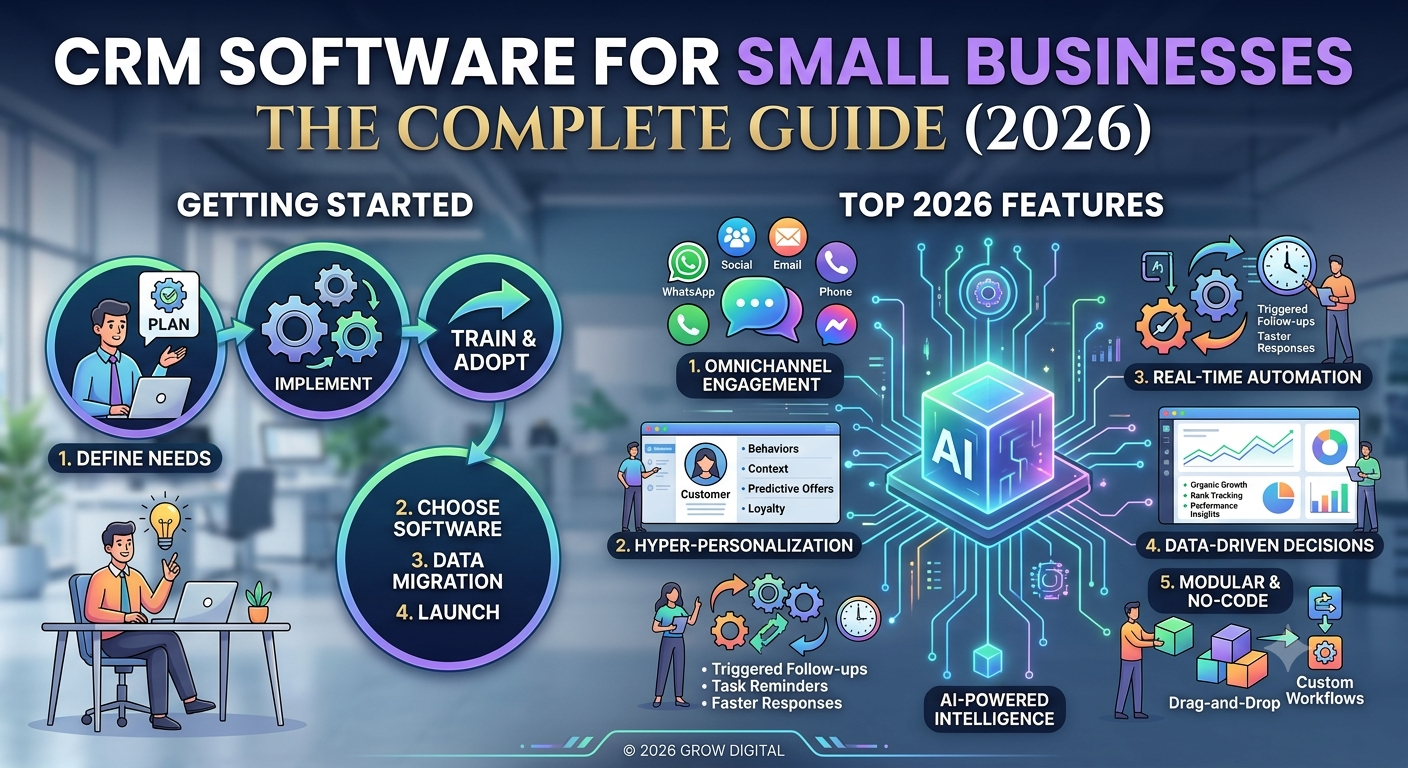
Step 1: Define the Core Problem You’re Solving
Before evaluating any specific platform, get specific about what’s actually broken in the current process. Is it missed follow-ups? Inconsistent customer service? Lack of visibility into the sales pipeline? Different businesses need different feature sets, and starting from the actual problem prevents getting distracted by impressive features that don’t address the real need.
Step 2: Map Your Must-Have Features
Based on the problem identified, list the features that are genuinely necessary versus nice-to-have extras. A common mistake is choosing a CRM based on an exhaustive feature list rather than the specific features the business will actually use day to day.
Step 3: Consider Your Team’s Technical Comfort Level
A powerful, highly customizable CRM is only valuable if the team will actually use it. For small teams without dedicated technical staff, a simpler, more intuitive platform often produces better real-world adoption than a more powerful but complex one.
Step 4: Check Integration Requirements
List the tools the business already relies on — email platform, accounting software, e-commerce system, calendar — and verify compatibility before committing to a platform. Switching core tools later because of a missed integration is far more disruptive than checking compatibility upfront.
Step 5: Test With a Free Trial or Free Tier
Most reputable CRM providers offer a free trial. Use it to test the actual day-to-day workflow with real (or realistic sample) data rather than just exploring the feature list, since the experience of using a tool daily often reveals friction points that a feature comparison sheet won’t show.
Step 6: Involve the People Who Will Use It Daily
Whoever will be using the CRM most — sales staff, customer service reps — should have input into the decision. A platform selected without that input risks low adoption, regardless of how capable it is on paper.
Step 7: Plan for Growth, Not Just Current Needs
Choose a platform that can scale with reasonable additional cost and complexity as the business grows, rather than one that will require a disruptive migration to a new system within a year or two.
Step 8: Evaluate Support and Documentation Quality
Since small businesses often lack dedicated IT support, the quality of a vendor’s customer support, documentation, and onboarding resources matters as much as the feature set itself, particularly during the initial setup period.
Common Mistakes When Implementing CRM
Even a well-chosen CRM can fail to deliver value if implementation goes wrong. These are some of the most common pitfalls.
Choosing Based on Features Alone
Selecting a CRM purely because it has the longest feature list, without considering whether the team will actually use those features or whether the interface fits the team’s workflow, often leads to underused, expensive software.
Skipping Proper Data Migration
Importing existing customer data carelessly — with duplicate records, inconsistent formatting, or missing information — undermines the value of a CRM from day one. Taking time to clean data before migration pays off significantly in long-term usability.
Insufficient Training
Rolling out a new CRM without proper training leads to inconsistent use, with some team members adopting it fully and others reverting to old habits like personal spreadsheets or email folders, which defeats the purpose of centralizing information.
Overcomplicating the Initial Setup
Trying to configure every possible automation, custom field, and integration before ever using the system in practice often delays adoption and creates unnecessary complexity. It’s usually more effective to start with core functionality and add complexity gradually as the team becomes comfortable.
Lack of Ongoing Accountability
Without clear expectations that the CRM is the single source of truth for customer information — and some accountability for keeping it updated — usage tends to decline over time, and the business slides back into the scattered systems the CRM was meant to replace.
Ignoring Adoption Metrics
Many small businesses implement a CRM and never check whether the team is actually using it consistently. Tracking basic adoption metrics — how often records are updated, how many deals are logged — helps catch declining usage early, before the system becomes effectively abandoned.
Best Practices for CRM Implementation
To avoid the mistakes above, the following practices tend to produce smoother, more successful CRM rollouts for small businesses.
Start With a Pilot Group
Rolling out a new CRM to a small group first — rather than the entire team at once — allows for working out workflow issues and gathering feedback before a full-scale rollout, reducing disruption if adjustments are needed.
Clean and Standardize Data Before Migrating
Spend time consolidating and standardizing existing customer data — removing duplicates, fixing inconsistent formatting — before importing it into a new system. Clean data from the start makes the CRM far more useful immediately.
Customize Gradually
Begin with the platform’s default setup and adjust based on real usage patterns, rather than trying to anticipate every customization need before anyone has used the system. This avoids over-engineering a setup based on assumptions that may not match actual day-to-day needs.
Set Clear Usage Expectations
Establish clear expectations from the start — what information must be logged, how often records should be updated, and who’s responsible for keeping data accurate — so the CRM stays reliable as the single source of truth.
Review and Adjust Regularly
Schedule periodic reviews of how the team is using the CRM, what’s working, and what’s causing friction, and adjust workflows or settings accordingly. A CRM implementation isn’t a one-time project; it benefits from ongoing refinement as the business and its needs evolve.
Celebrate Early Wins
Sharing concrete examples of how the CRM helped close a deal, recover a forgotten lead, or resolve a customer issue faster reinforces the value of consistent use and encourages continued adoption across the team.
CRM and AI: What’s Changing
Artificial intelligence has become an increasingly central part of modern CRM platforms, and small businesses stand to benefit significantly from features that used to require dedicated data science resources.
Predictive Lead Scoring
AI-powered lead scoring analyzes patterns in past deals to predict which current leads are most likely to convert, helping small sales teams prioritize their limited time on the highest-probability opportunities rather than treating every lead equally.
Automated Data Entry
AI features can automatically log calls, transcribe voicemails, extract key details from emails, and update contact records without manual entry, reducing one of the most common reasons CRM adoption fails — the administrative burden of keeping records updated.
Conversational Insights
Some CRMs now use AI to analyze sales call recordings or email threads, surfacing insights about customer sentiment, objections raised, or competitor mentions, giving small business owners visibility into sales conversations they wouldn’t otherwise have time to review manually.
Smart Recommendations
AI-driven recommendations can suggest the best time to follow up with a specific lead, which email template is likely to perform best, or which deals are at risk of going cold based on patterns in similar past deals — turning historical data into forward-looking guidance.
Natural Language Interfaces
An increasing number of CRMs allow users to ask questions in plain language — “which deals are closing this month” or “show me leads that haven’t been contacted in two weeks” — and receive an answer or report instantly, without needing to build a custom dashboard or report manually.
What This Means for Small Businesses
These AI features mean small businesses can access capabilities that once required a dedicated analytics or sales operations function, leveling the playing field somewhat against larger competitors with bigger teams. That said, AI features are most useful when the underlying data is accurate and consistently maintained — AI can’t generate good insights from incomplete or poorly maintained records.
Security and Data Privacy Considerations
A CRM holds some of a business’s most sensitive information — customer contact details, purchase history, and sometimes payment or personal data. Security deserves real consideration when choosing and managing a CRM, not just an afterthought.
Data Encryption and Storage
Look for CRM providers that encrypt data both in transit and at rest, and that are transparent about where customer data is physically stored, particularly for businesses operating in regions with specific data residency requirements.
Access Controls and Permissions
A good CRM allows administrators to set role-based permissions, so not every team member has access to every piece of sensitive customer information. This is particularly important as a team grows and includes contractors, part-time staff, or external partners who may need limited access.
Compliance With Privacy Regulations
Depending on the regions a business operates in and the type of customer data collected, compliance with regulations such as data protection and privacy laws may be a legal requirement. Reputable CRM providers typically publish information about their compliance posture, which is worth reviewing before committing to a platform, especially for businesses handling sensitive customer categories like health or financial information.
Backup and Data Recovery
Understand a provider’s backup practices and what happens to a business’s data if a subscription is canceled or a provider experiences an outage. The ability to export data in a usable format is an important safeguard against vendor lock-in and against losing critical business information.
Employee Offboarding
When an employee with CRM access leaves the business, prompt deactivation of their account prevents lingering access to sensitive customer data. This is a simple but commonly overlooked security practice, especially in small businesses without a formal IT offboarding checklist.
Top CRM Use Cases by Small Business Type
Different kinds of small businesses tend to lean on different CRM capabilities most heavily. A few common patterns illustrate how the same core software adapts to different needs.
Service-Based Businesses
For businesses like consultants, agencies, or home service providers, the CRM often centers on tracking ongoing client relationships, scheduling recurring work, and managing proposals or quotes through the sales pipeline before a project begins.
Retail and E-Commerce
Retail and online store owners often use CRM features to segment customers by purchase history and send targeted promotions, track repeat purchase behavior, and manage loyalty programs that encourage repeat business.
Professional Services
Businesses like accounting firms, law practices, or financial advisories often prioritize CRM Software features around compliance-friendly record keeping, secure document storage, and detailed history tracking for long-term client relationships that may span years.
B2B Sales Teams
Small B2B companies typically lean heavily on the sales pipeline and reporting features, since B2B sales cycles tend to be longer and involve multiple touchpoints and decision-makers that need careful tracking to avoid losing momentum on a deal.
Local and Brick-and-Mortar Businesses
Local businesses often use CRM tools to manage appointment scheduling, send reminders, and maintain customer histories that support more personalized service when a regular customer walks back through the door.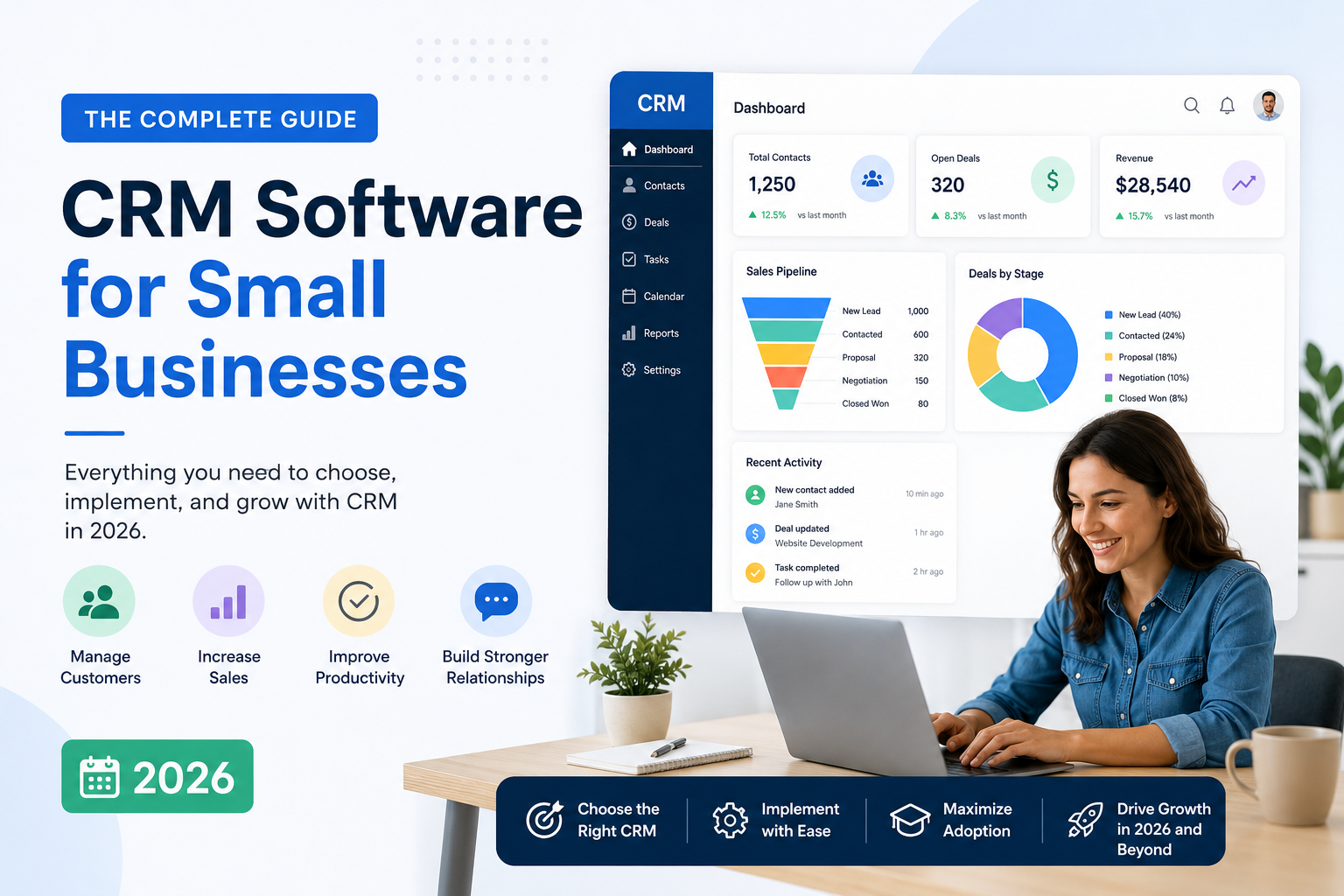
Measuring CRM ROI
Like any business investment, it’s worth periodically evaluating whether a CRM is delivering meaningful value relative to its cost.
Track Adoption First
Before evaluating financial ROI, confirm the team is actually using the system consistently. A CRM with low adoption can’t produce meaningful business results regardless of its theoretical capabilities.
Compare Sales Cycle Length
One of the clearest indicators of CRM impact is whether the average time from initial contact to closed deal has shortened since implementation, which often reflects more consistent follow-up and better pipeline visibility.
Monitor Conversion Rates
Compare lead-to-customer conversion rates before and after CRM Software adoption. Improvements often reflect better lead prioritization, more consistent follow-up, and more personalized communication enabled by having full customer context available.
Evaluate Customer Retention
Since CRMs improve service consistency and personalization, it’s worth tracking whether customer retention or repeat purchase rates have improved over time, which directly affects long-term revenue beyond just new sales.
Account for Time Savings
Calculate the administrative time saved by automation — follow-up reminders, automatic data logging, simplified reporting — and consider what that time is worth if redirected toward revenue-generating activities instead.
Revisit the Decision Periodically
As a business grows, its needs change. Periodically revisiting whether the current CRM Software still fits — rather than assuming the original choice will remain right indefinitely — helps avoid sticking with an outgrown system simply due to switching costs.
Conclusion
CRM software has moved from an enterprise luxury to a practical necessity for small businesses that want to grow without losing the personal touch that often differentiates them from larger competitors. The right CRM doesn’t just organize contact information — it improves how consistently a business follows up on leads, how personalized its customer service feels, and how clearly its owners can see what’s actually working.
The key is approaching CRM Software selection and implementation deliberately: start from the actual problem you’re solving, choose a platform that matches your team’s technical comfort and growth trajectory, and invest in clean data and proper training rather than treating the software as a quick fix. Done well, a CRM becomes one of the highest-leverage tools a small business can adopt — not because of any single feature, but because of the consistency and visibility it brings to every customer relationship the business depends on.
FAQs
Is CRM software worth it for a very small business with just a few employees?
Often, yes — even small teams benefit from centralized contact information and follow-up tracking, especially once the business has more than a handful of active leads or customers to manage. Many providers offer free or low-cost tiers specifically designed for very small teams, making the entry cost low relative to the organizational benefit.
How long does it typically take to implement a CRM Software?
Implementation timelines vary based on complexity, but a simple setup for a small business can often be functional within days, while more customized implementations with data migration and integrations may take several weeks. Starting with core functionality and expanding gradually tends to produce a smoother rollout than attempting a fully customized setup from day one.
What’s the difference between a CRM Software and an email marketing tool?
Email marketing tools focus specifically on sending and tracking campaigns, while CRMs manage the full customer relationship — sales pipeline, customer service history, and often marketing functionality as well. Many small businesses eventually consolidate both functions into a single CRM platform that includes marketing features.
Can a small business build its own CRM using spreadsheets?
While technically possible for a very small number of contacts, spreadsheets lack automation, reminders, integration with communication tools, and reporting capabilities that dedicated CRM software provides — and they become increasingly unmanageable and error-prone as a customer base grows.
How do I get my team to actually use a new CRM consistently?
Consistent adoption usually comes down to proper training, clear expectations about what must be logged and when, involving the team in tool selection, and starting with a simple setup rather than an overly complex one. Sharing concrete examples of how the CRM has helped close deals or resolve issues also reinforces its value and encourages continued use.