







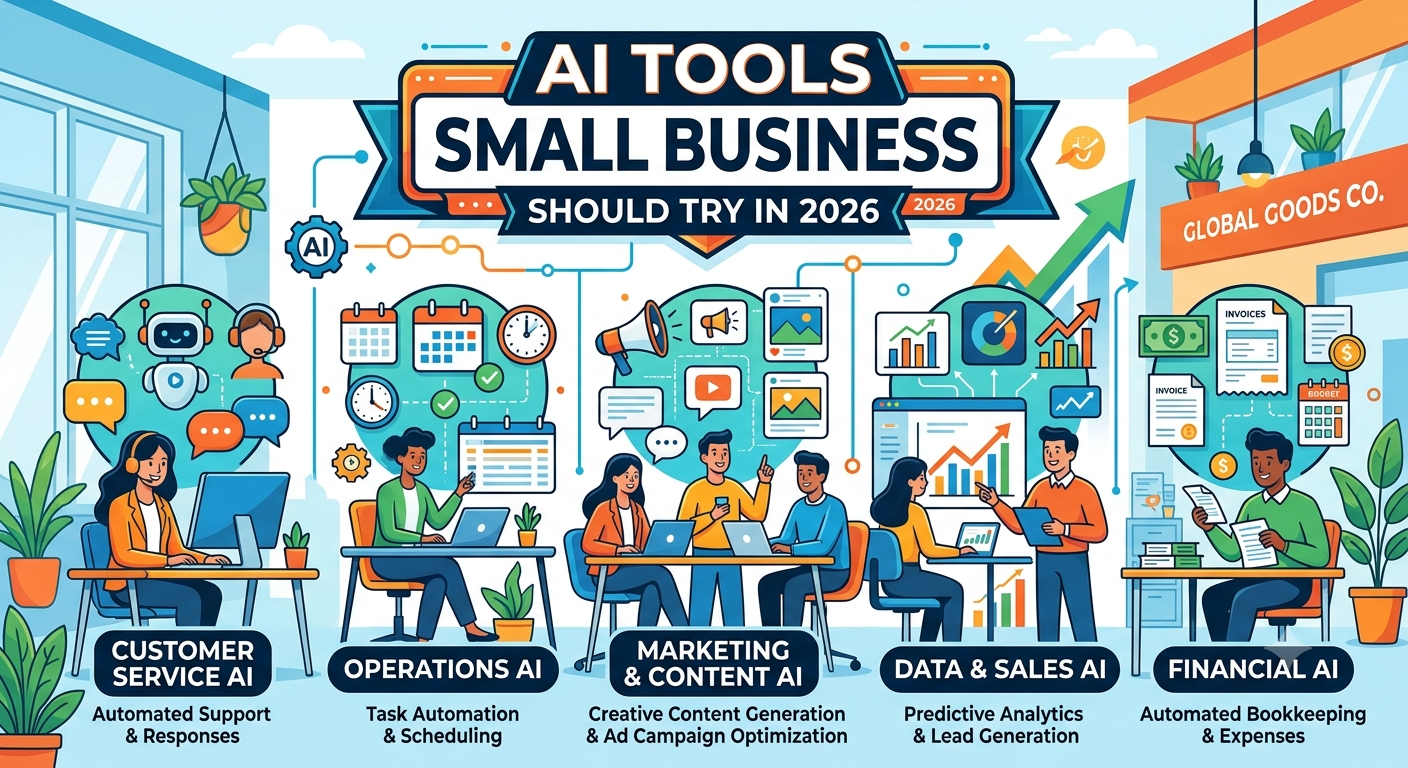
There was a time, not too long ago, when “using AI” in a small business meant one person quietly pasting questions into a chatbot and hoping nobody asked how the report got written so fast. That era is over. Heading into 2026, artificial intelligence has moved from a curiosity to a core part of how lean teams operate — and the gap between businesses using it well and those ignoring it has become measurable in real terms: hours saved, costs reduced, and output produced.
According to the Small Business & Entrepreneurship Council’s 2026 Small Business Tech Use Survey, the large majority of small business employers have already invested in AI tools, and adoption is accelerating rather than slowing down. The typical small business now runs a “stack” of around five different AI tools working together, and the vast majority of current adopters plan to keep increasing their AI spending over the coming year. In other words: this isn’t a passing trend small business owners can afford to sit out.
This guide breaks down the AI tools genuinely worth trying in 2026 — organized by the real jobs they do, not just hype — along with practical guidance on how to actually build a stack that works for a small, resource-conscious team.
Table of Contents
How to Think About Building an AI Tool Stack
Before diving into specific tools, it’s worth setting expectations correctly, because most of the disappointment small business owners feel with AI comes from how it’s adopted, not from the tools themselves.
Start with one painful, repetitive task. Rather than trying to overhaul every workflow at once, identify the single task that eats the most time every week — answering the same customer questions, drafting the same types of social posts, manually moving data between two apps — and solve that first.
Customize before you judge. Most AI tools produce generic, forgettable output until you actually feed them context about your business — your voice, your products, your audience. Skipping that setup step is the single biggest reason people conclude a tool “doesn’t work” when really, it was never properly configured.
Treat outputs as first drafts, not final answers. The most successful small business users of AI consistently describe the technology as a fast starting point rather than a finished product. Review, edit, and apply your own judgment before anything goes out the door.
Connect your tools. A handful of AI tools working in isolation deliver decent value. The same tools connected through simple automations — so a new lead, support ticket, or form submission automatically triggers the next step — deliver dramatically more.
Bring your team along. A single person using AI well is helpful. A whole team using it consistently, with shared standards and shared prompts, multiplies that value many times over.
With that frame in mind, here’s the breakdown by category.
1. AI Assistants & General-Purpose Tools
Every AI stack tends to start here — a flexible, conversational assistant that becomes the default tool for drafting, brainstorming, research, and quick answers.
ChatGPT remains the most widely used general-purpose AI assistant for small businesses, and for good reason — it drafts emails, brainstorms campaign ideas, summarizes long documents, and answers questions across nearly any business topic. Its free tier alone is capable enough for many day-to-day tasks, from writing job postings to explaining unfamiliar regulations in plain language. The honest caveat: it’s generic by default and won’t know anything specific about your business unless you teach it through context and custom instructions each time.
Claude, including the Claude Cowork desktop experience, has become a go-to option for small business owners who want an AI assistant that works directly with local files, spreadsheets, and documents rather than living purely in a chat window. It’s particularly useful for organizing files, reviewing contracts, building spreadsheets, and handling multi-step tasks that span several documents at once — closer to having a flexible assistant than a simple chatbot.
Perplexity, especially its more advanced “Computer” capabilities, has carved out a niche for research-heavy tasks — market research, competitor analysis, and pulling together sourced answers quickly rather than relying on memory alone.
Gemini continues to be a strong alternative in this category, particularly for businesses already embedded in Google’s ecosystem (Workspace, Docs, Sheets), where it can work directly inside the tools a team already uses daily.
Practical use case: Use a general assistant as your first stop for any drafting or research task, then route the output into a more specialized tool (a CRM, a design tool, a scheduler) for execution.
2. Marketing & Content Creation
Marketing is consistently the single most common use case for AI among small businesses — ahead of automation, sales, and finance — which makes this category arguably the highest-leverage place to start.
Jasper is purpose-built for marketing content rather than general conversation. You train it on your brand voice and product details, and it generates first drafts of blog posts, ad copy, social captions, and email campaigns in that voice. It won’t produce a perfect final draft, but for businesses spending ten or more hours a week on content creation, it can meaningfully cut that time while still requiring a human editing pass.
Canva AI has become a default design tool for small teams without a dedicated designer, generating social graphics, presentations, and marketing visuals from simple prompts, with a genuinely useful free tier for getting started.
Google Pomelli focuses specifically on brand consistency — helping small businesses maintain a coherent visual and messaging identity across marketing materials without needing a dedicated brand manager.
Buffer’s AI Assistant earns its place for social scheduling specifically because of its caption-repurposing feature: paste in a blog post link, and it generates platform-tailored captions for Instagram, LinkedIn, X, and Facebook simultaneously, each calibrated to that platform’s tone and format — a genuine time-saver for solo marketers managing several channels at once.
Surfer SEO is one of the highest-ROI tools available for businesses that depend on organic search traffic. Its content editor scores writing in real time against top-ranking competitor pages for a target keyword, helping ensure content actually meets the depth and structure search engines reward, rather than guessing.
Practical use case: Draft a blog post with a general assistant or Jasper, run it through Surfer SEO for structure and keyword coverage, then use Buffer to instantly repurpose it into platform-specific social captions.
3. Customer Support & Communication
Customers expect fast, personalized responses regardless of how small the team behind a business is — and this category exists to close that gap without requiring round-the-clock staffing.
Chatbase and similar AI chatbot platforms allow small businesses to deploy a trained support assistant on their website that can answer common questions, summarize unresolved cases, and hand off complex issues to a human — giving customers immediate responses outside business hours without requiring a full support team.
Missive brings email, SMS, WhatsApp, Instagram, Messenger, and live chat into a single collaborative inbox, with AI features built directly into the workflow for drafting replies and summarizing conversation threads. For small teams juggling multiple communication channels without a dedicated support department, consolidating into one AI-assisted inbox can meaningfully cut down on missed messages and duplicated effort.
Grammarly Business has expanded well beyond spell-check into a full writing assistant, with a company style guide feature that keeps tone and voice consistent across every employee’s emails, proposals, and support replies — without needing a dedicated communications manager to review everything by hand. Its generative drafting feature works directly inside Gmail, Outlook, Slack, and most browser-based tools, letting staff draft a reply from a few bullet points rather than starting from a blank message.
Practical use case: Deploy a chatbot for tier-one website questions, route anything more complex into a unified inbox like Missive, and use Grammarly Business to keep every human-written reply on-brand and error-free.
4. Workflow Automation
This is the category that turns a pile of individual AI tools into an actual connected system — and it’s often the highest-leverage addition once a couple of other tools are already in place.
Zapier connects the apps a small business already uses and automates the repetitive steps between them. Its AI layer now allows automations to be built in plain English — describing a workflow in a sentence and letting Zapier translate that into actual automated steps — while AI-powered steps within a workflow can summarize text, enrich data, or draft responses automatically. A typical free tier allows a limited number of automated tasks per month, with paid plans unlocking higher volume and more complex multi-step workflows. Zapier’s AI agents take this further by handling ongoing repeat requests — effectively background workers that learn a pattern once and keep executing it without further input.
Practical use case: Automatically pull new website form submissions into a spreadsheet, send a personalized welcome email, and create a follow-up task in a project management tool — all without anyone touching the process manually.
5. Productivity & Knowledge Management
Every business accumulates scattered notes, half-finished documents, and meeting takeaways that nobody has time to organize. This category exists to make sense of that mess automatically.
Notion AI is built into every page of the popular workspace tool, letting teams generate text, summarize meeting notes, turn rough bullet points into polished documents, and ask direct questions about anything stored in their workspace. A practical example: paste in a meeting transcript, highlight it, and ask Notion to extract every action item along with an owner and due date — turning a messy conversation into a clear task list in seconds.
ClickUp Brain brings similar AI capabilities into project and task management specifically, helping outline plans, rewrite descriptions, and summarize updates without needing to leave the platform where the work itself is being tracked.
Slack AI keeps things moving inside the communication tool teams already live in — summarizing long threads, answering natural-language questions across channels, and drafting replies without requiring anyone to switch tools just to catch up on a conversation they missed.
Practical use case: Use Notion AI to turn a weekly team meeting transcript into a structured action list, then let Slack AI keep everyone updated on progress without a dedicated status-update meeting.
6. Sales & CRM
AI’s impact on sales tends to show up directly in revenue, which makes this one of the categories small businesses notice fastest once it’s set up properly.
HubSpot, particularly its free and Starter-tier CRM, has deeply embedded AI into its core experience through what it calls its Breeze AI engine — powering predictive lead scoring, automated deal summaries, and a sales coaching feature that reviews recorded calls and surfaces specific, actionable feedback. For a small business managing a modest contact list, a free CRM with this level of AI support is genuinely one of the more valuable pieces of software available at any price point, with a gradual upgrade path as the business grows into needing more.
folk takes a different approach as an AI-first CRM built specifically for small teams, unifying contacts, email, WhatsApp conversations, and LinkedIn outreach into one searchable pipeline — useful for businesses whose sales process leans heavily on relationship-based outreach across multiple channels rather than a single inbox.
Practical use case: Let an AI-powered CRM automatically score and prioritize incoming leads, summarize past interactions before every call, and flag deals that are at risk of going cold — all without a dedicated sales operations hire.
7. Meetings, Video & Voice
Time spent in meetings — and time spent re-explaining things that were already said once — is one of the most universal drains on a small team. This category targets that directly.
Fireflies and similar meeting-transcription tools automatically record, transcribe, and summarize calls, turning a 45-minute meeting into a short list of key points and action items that anyone who missed the call can read in under a minute.
Loom’s AI features go a step further for asynchronous communication, automatically drafting titles, summaries, and chapters for recorded video walkthroughs, trimming out silence and filler words, and turning a rough, unscripted recording into something genuinely watchable. For small teams, this means demos, onboarding walkthroughs, and process documentation can be recorded once and reused indefinitely instead of repeated live on every new hire or client call.
ElevenLabs has become a go-to tool for AI-generated voiceover and audio, useful for businesses producing video ads, explainer content, or multilingual audio without hiring voice talent for every project.
Practical use case: Record a single onboarding walkthrough with Loom’s AI editing features, transcribe every sales call automatically with a tool like Fireflies, and use the combined summaries to build a self-serve knowledge base that reduces repetitive internal questions.
8. Website & No-Code Building
Getting a credible online presence used to require either real budget or real technical skill. AI-assisted website builders have meaningfully lowered that bar.
Lovable is an AI-powered website builder aimed specifically at non-technical founders, generating a functional site based on a description of the business and its branding preferences, with customization options for layout and design. For a small business or solo entrepreneur trying to get online quickly without hiring a developer, this category has become a genuinely practical starting point rather than a placeholder until “real” website work gets done later.
Practical use case: Launch a credible, branded website in days rather than weeks, then iterate on design and copy directly through prompts as the business evolves.
How Small Businesses Are Actually Using These Tools
It’s worth looking past the tool list for a moment at the broader pattern. Survey data on small business AI adoption shows a few consistent themes: businesses are building multi-tool “stacks” rather than betting on one all-in-one platform; marketing and content creation remain the leading use case by a wide margin; and workflow automation is close behind, delivering some of the fastest, most measurable time savings. A smaller but fast-growing share of small businesses are also starting to use AI for pricing optimization — moving the technology beyond pure efficiency gains and into direct revenue growth.
General-purpose AI assistants tend to be the entry point for most small businesses, often becoming the connective tissue that touches nearly every other tool in the stack, from drafting the first version of a blog post to summarizing what a specialized CRM or support tool produced.
Questions to Ask Before Adopting Any AI Tools
Enthusiasm for a slick demo is not the same as a tool being right for your business. Before committing, it’s worth asking a few pointed questions:
- What happens to your data? Some AI tools use customer conversations and business data to train their underlying models — which can mean your proprietary information indirectly helps competitors using the same platform. Ask directly about data usage policies.
- Can you leave easily? Check what export options exist before you commit, so switching tools later doesn’t mean losing months of accumulated data or context.
- Does it integrate with what you already use? A tool that can’t connect to your existing email, calendar, or CRM creates more manual work, not less.
- What’s the actual cost at scale? Many AI tools offer generous free tiers that become considerably more expensive once usage climbs — model your likely usage before assuming a low advertised price will hold.
Common Mistakes to Avoid
A handful of patterns show up again and again among small businesses that struggle to get value from AI adoption:
Trying to use everything at once. Adopting five new tools in the same month guarantees that none of them get the attention needed to actually work well. Start with two or three, get real results, then expand.
Skipping the customization step. Generic AI output is the default state, not a flaw — it requires deliberate setup (brand voice, business context, custom instructions) to become genuinely useful.
Treating AI as a finished-product machine. The businesses getting the most value treat AI output as a strong first draft requiring human review, not a replacement for human judgment.
Ignoring integrations. Standalone tools deliver a fraction of the value that connected tools do. Even basic automation between two apps multiplies the time saved.
Leaving adoption to one person. A single enthusiastic employee using AI well is a good start; a team trained to use it consistently, with shared prompts and standards, is where the real gains compound.
Building Your First AI Stack: A Practical Starting Plan
For a small business just getting started, a reasonable first stack looks something like this:
- One general-purpose assistant (ChatGPT, Claude, or Gemini) for drafting, research, and quick problem-solving across the whole business.
- One marketing/content tool matched to your biggest content bottleneck — a writing assistant if blog and email content is the pain point, a design tool if visuals are.
- One automation tool (Zapier or similar) connecting your two most time-consuming manual handoffs.
- One customer-facing tool — a chatbot, unified inbox, or AI-assisted CRM — depending on whether your bottleneck is support volume or sales follow-up.
Once those four are genuinely embedded into daily work — not just signed up for — adding a fifth or sixth tool tends to go far more smoothly than trying to stand up an entire stack on day one.
FAQs
Do small businesses really need multiple AI tools, or is one enough?
Most small businesses end up running a small stack — commonly around five tools — because different tasks (writing, support, automation, sales) benefit from purpose-built tools rather than one generalist trying to do everything.
Are free AI tool tiers actually usable, or just a sales gimmick?
Many genuinely usable free tiers exist in 2026, particularly for general assistants, design tools, and entry-level automation. The key is checking usage limits before assuming a free tier will cover your actual volume long-term.
What’s the biggest risk of adopting AI tools too quickly?
The most common failure pattern isn’t a bad tool — it’s adopting too many tools at once without customizing or integrating any of them properly, leading to abandoned subscriptions and disappointing results.
Will AI tools replace the need for human staff in a small business?
Current adoption patterns suggest AI is mostly freeing up time for higher-value work — strategy, relationship-building, closing deals — rather than eliminating roles outright, especially in customer-facing functions where a human touch still matters.
Which category of AI tools delivers the fastest ROI for a small business?
Marketing and content creation tools tend to show the fastest, most visible time savings, with workflow automation close behind once a couple of core tools are already in place.
Conclusion
The AI tools available to small businesses in 2026 are no longer experimental — they’re practical, affordable, and increasingly essential to staying competitive against much larger, better-resourced competitors. The businesses getting real value aren’t the ones chasing every new release; they’re the ones picking a focused set of tools that solve actual pain points, customizing them properly, connecting them to each other, and training their whole team to use them consistently.
Start small, start with your biggest bottleneck, and build outward from there. The gap between businesses using AI well and those ignoring it is only going to widen from here — and 2026 is a genuinely good year to close it.